

The one thing to do next, and why.
What Maalin does, one part of your day at a time.
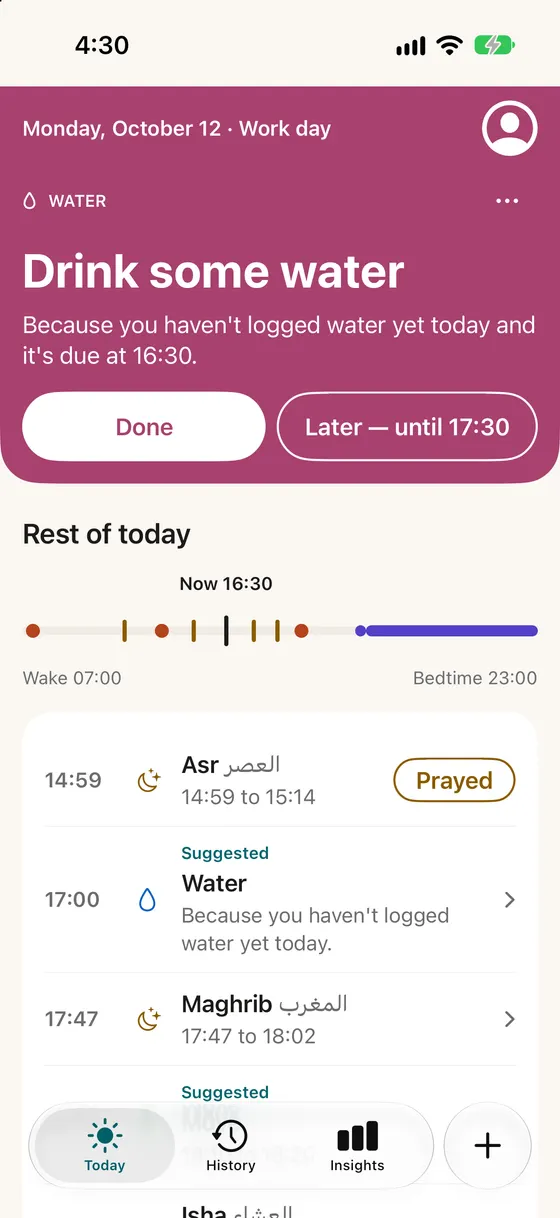
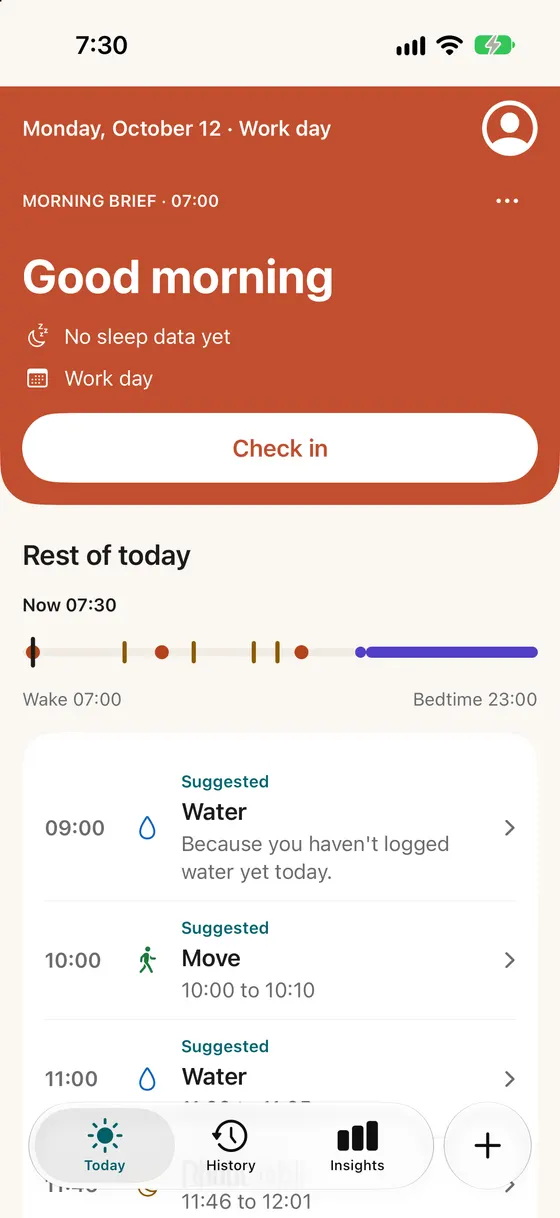
Today
One next step, with its reason.
Maalin looks at your sleep, your plans and what you've logged, then shows the one thing worth doing now.
- Do it, choose a smaller version, or move it to later.
- When nothing needs doing, it says "You're set until Asr".
- A short brief when you wake, and a wrap‑up in the evening.
Your plan
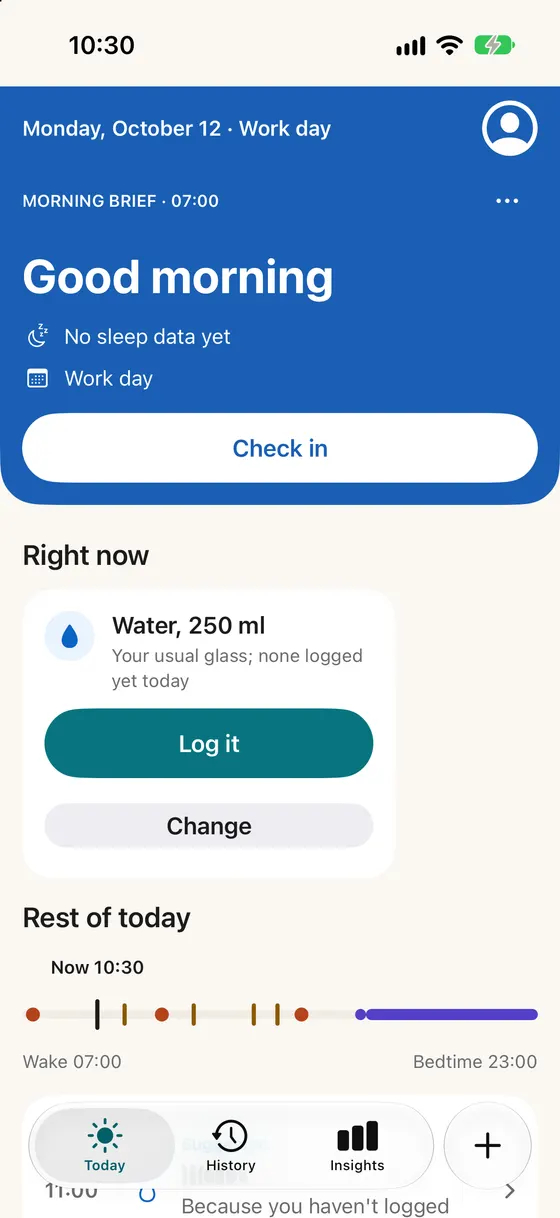
A plan that fits your calendar and the weather.
Meals, water and movement are placed around the time you're busy, and outdoor plans move out of the midday heat.
- Maalin sees busy times, not event details, unless you turn titles on.
- Work days, days off, study and shift days each get their own plan.
- On fasting days, meals move to your eating window.
- Your usual glass and meal show up in Right now, ready to log.
Notifications
A few reminders, when you usually act.
Coaching reminders start at three a day. It learns the moments you respond, and sends fewer of the kinds you ignore.
- Nothing while you sleep, during prayer or in time you protect.
- “Fewer like this” turns a kind off for two weeks.
- Health numbers stay off the lock screen unless you turn them on.
Maalin13:10
Lunch at 13:30
Before your busy time at 15:00.
Maalin16:30
Water, 250 ml
Your usual glass. None logged since lunch.
Maalin22:00
Wind down
Bedtime is 22:30.
Logging
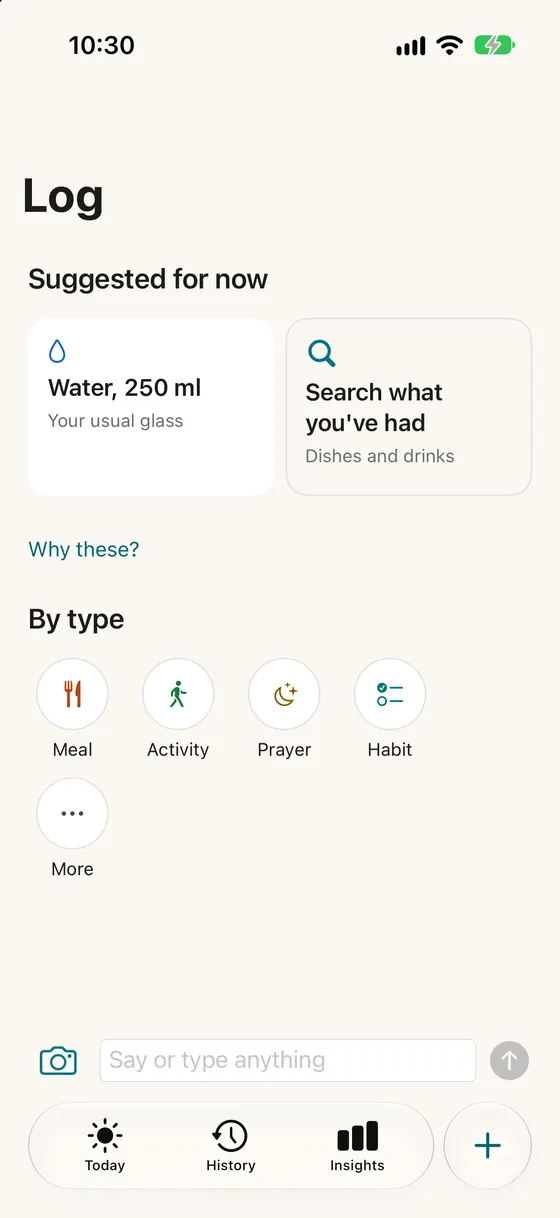
Log a meal, a glass or a payment in one tap.
Maalin suggests what you usually have at this time, with the place and the price already filled in.
- Tap, type, speak (English) or take a photo of your meal.
- Canjeero, bariis, laxoox and thousands more are in the food list.
- Spending by place, including EVC Plus, Zaad and M-Pesa. No bank connection.
Sleep and movement
Your watch and your phone do the counting.
Sleep, steps, workouts and heart rate come in through Apple Health from Apple Watch, Garmin, Oura, Whoop and smart scales.
- Readiness from your sleep: go, go easy or rest.
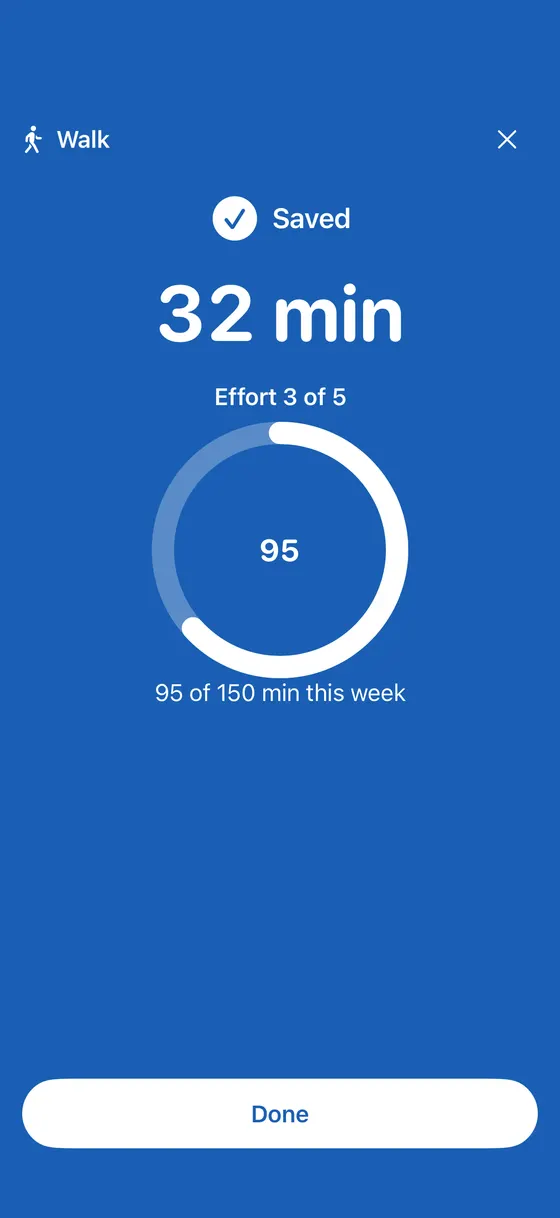
- Active minutes counted against 150 a week.
- Without a watch, a 10-second check-in or a quick log works too.
- 211 activities, including Somali dance and wheelchair activities.
Prayer and habits
Your day is planned around prayer.
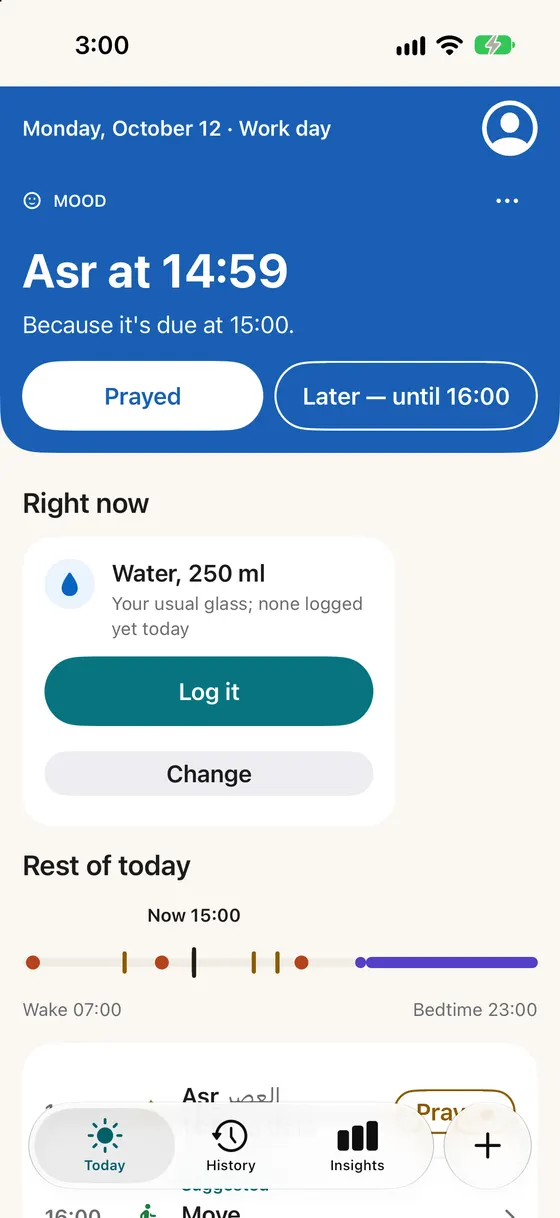
Prayer times are worked out on your phone for where you are, and Maalin makes no suggestions in the minutes after a prayer starts.
- Tap Prayed. Maalin keeps no score and no count.
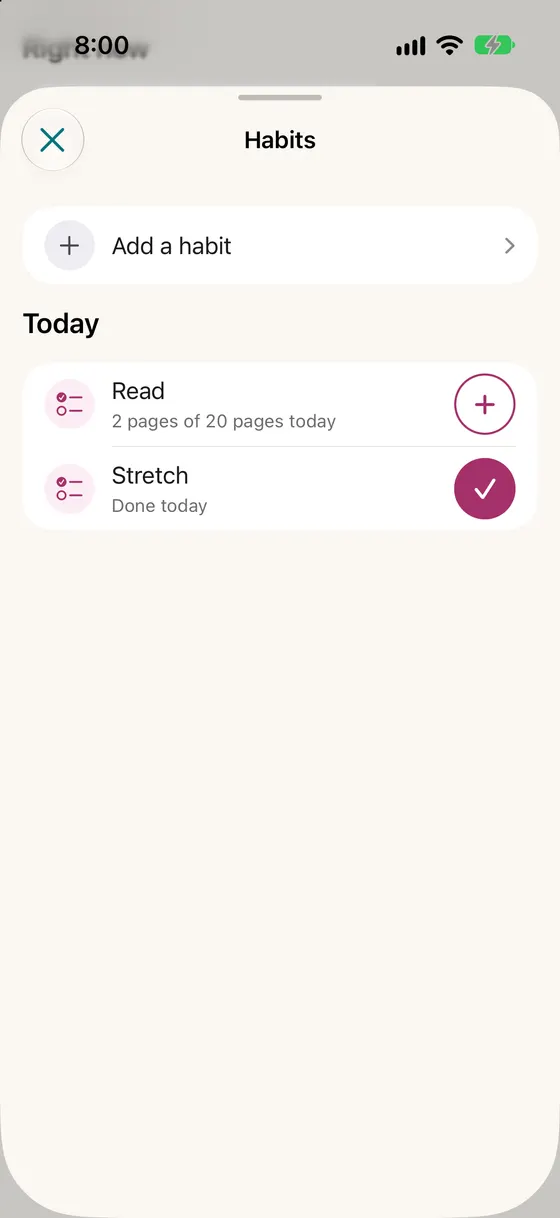
- Habits of your own, with reminders and timers.
- A habit can follow a prayer, such as Qur'an 10 minutes after Maghrib.
- Habits read as 5 of the last 7 days, with 2 grace days a week. Nothing is marked as missed.
Insights
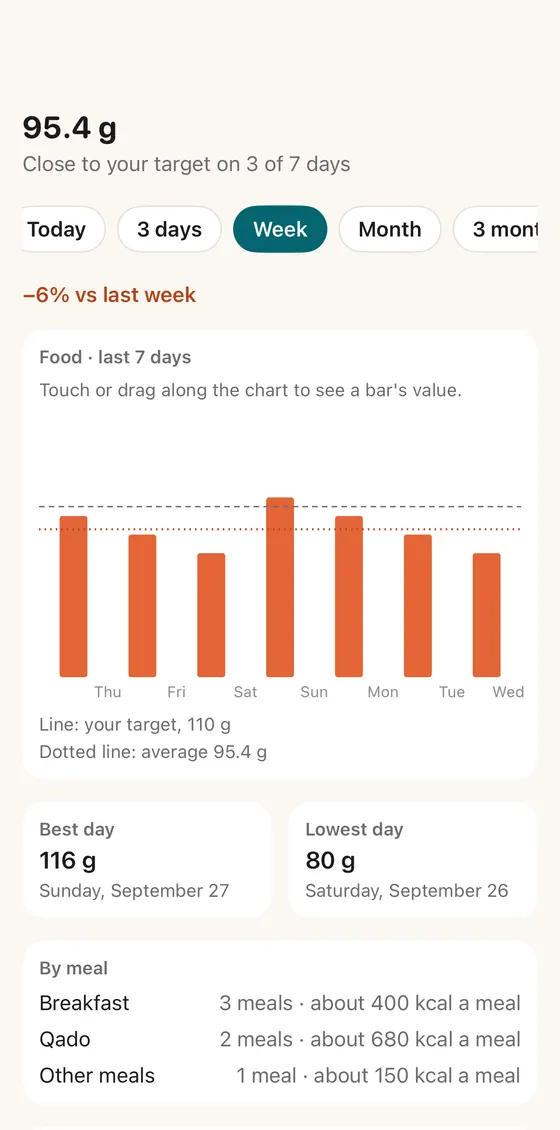
See your week, and what Maalin learned.
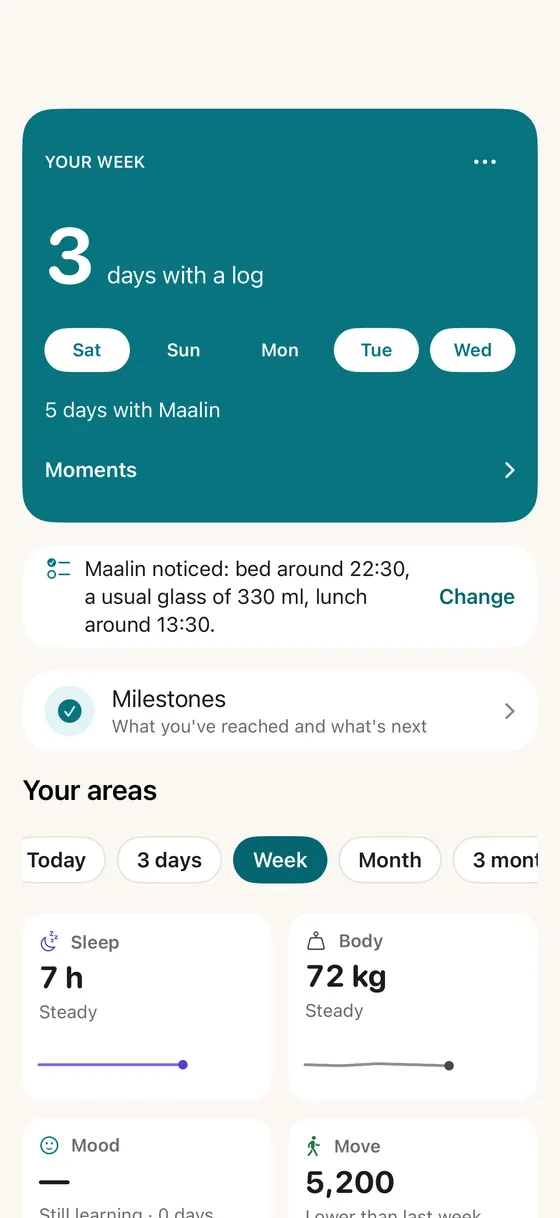
Every area shows its trend over a week, a month or a year. Maalin tells you what it noticed, and you can change it.
- “Maalin noticed: bed around 22:30, lunch around 13:30.”
- Milestones for what you've reached, never streaks to break.
- Everything it learned can be edited or deleted.
- A weekly review suggests one focus, and you decide whether to set it.
Languages
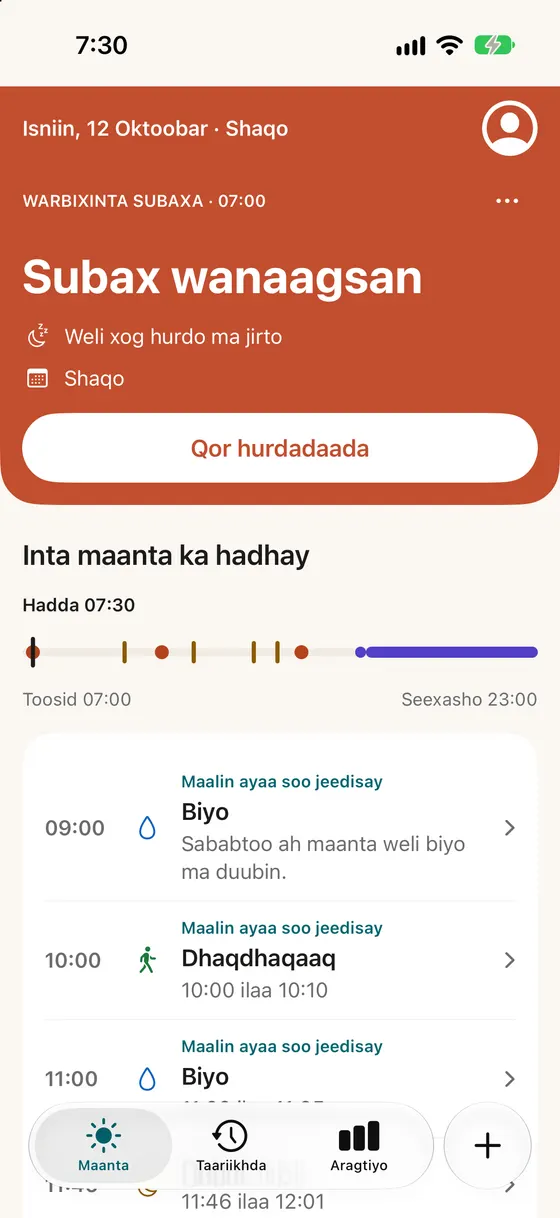
In English and in Somali.
Choose the language inside Maalin, whatever your phone uses. Units, currency and the start of the week follow your region.
Works with your iPhone.
Maalin uses the parts of iOS you already know.
One tap
Siri, widgets, Control Center and the Action button log in one tap.
Yours to lock and move
Face ID app lock, and export or import your data.
How Maalin decides.
The decisions are made on your iPhone, by rules that are tested on every change.
It reads your day
What you logged, your sleep, your calendar's busy times, prayer times and the weather.
Rules pick one step
Safety rules come first, for example food before a hard workout if you haven't eaten for five hours.
AI only reads your words
On-device AI helps understand what you type, say or photograph. Switch it off and Maalin still works.
Try Maalin before everyone else.
Join the free beta on Apple's TestFlight. Places are limited.